Car Accessory Design - HoloLens
Category:
Mixed Reality App
Client:
Toyota
Duration:
3 months
Case Study: Car Accessory Design - HoloLens
1. Introduction
Title: Car Accessory Design - HoloLens
Role: Interaction Design, Spatial Understanding
Year: 2018
2. Project Overview
Objective:
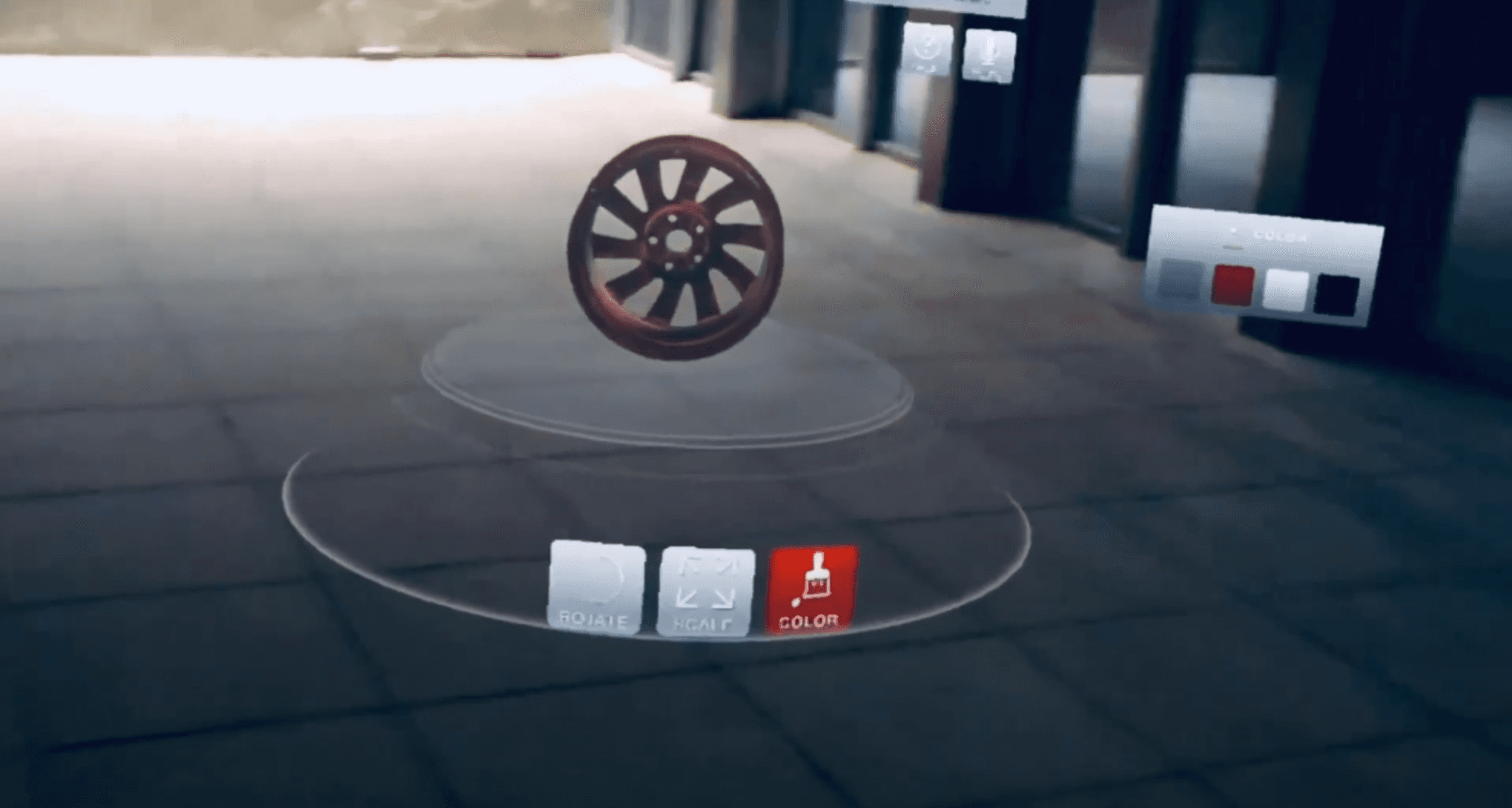
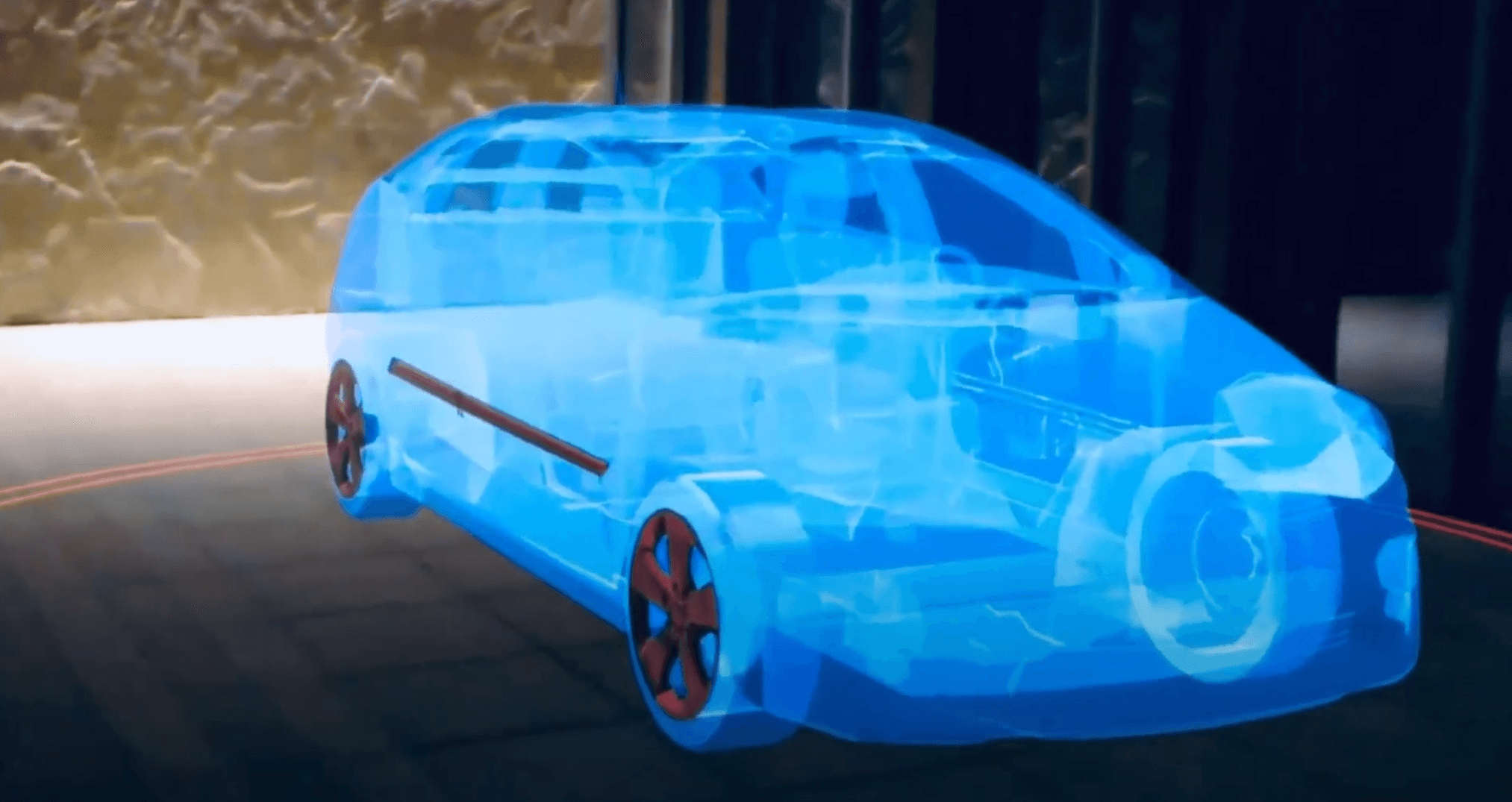
The main goal of the project was to develop an application that allows users to customize and visualize various car accessories on a life-size holographic car using HoloLens. The application aimed to enhance the decision-making process by providing an immersive and interactive experience.
Technologies Used:
The project utilized HoloLens for augmented reality visualization, incorporating gesture and speech commands for interaction, and spatial understanding to adapt the experience to the user’s environment.
Collaborators:
The project was developed in collaboration with Microsoft’s Mixed Reality (MR) team, leveraging their expertise and inputs.
3. My Approach: Crafting Digital Excellence
Vision and Innovation:
My vision for this project was to set new standards in XR design by embracing cutting-edge technologies and design trends. I aimed to push the boundaries of creativity to ensure that the application not only met the user’s needs but also provided an innovative and engaging experience. By incorporating the latest industry innovations, I sought to create a product that stood out in the market.
Identifying Unique Challenges:
Before embarking on the Car Accessory Design project, I conducted extensive research to identify the unique challenges and opportunities. This involved understanding user preferences in car customization, the technical capabilities of HoloLens, and the integration of gesture and speech commands. By identifying these challenges early on, I was able to tailor my solutions to address specific needs and ensure the success of the project.
Resolving Complex Problems:
XR design is not just about aesthetics; it’s about solving complex problems. For this project, I focused on addressing challenges such as integrating gesture and speech commands, ensuring accurate spatial understanding, and creating an intuitive user interface. I relished the opportunity to take on these challenges and find innovative solutions that not only met but exceeded user expectations.
User-Centric Design:
The cornerstone of my approach was my unwavering commitment to understanding the needs of the users. I prioritized user-centric design, ensuring that the application provided a seamless, intuitive, and memorable experience from the moment users engaged with it. By conducting user research and usability testing, I was able to gather valuable feedback and continuously improve the design to meet user needs.
Meeting User Needs:
I was dedicated to addressing the diverse needs of car enthusiasts and potential buyers, ensuring that the design engaged, informed, and inspired them. By focusing on user needs, I created an application that stood out as highly functional, purposeful, and enjoyable to interact with. The application allowed users to visualize car accessories in a realistic and immersive way, enhancing their decision-making process.
Every aspect of the Car Accessory Design project is a testament to my systematic, innovative, and problem-solving approach. The application reflects my vision for digital excellence and my commitment to delivering results that surpass expectations. Explore this project in my portfolio to witness how I translated my approach into an impactful, user-centered XR solution.
4. Project Details
Customization Feature:
Description:
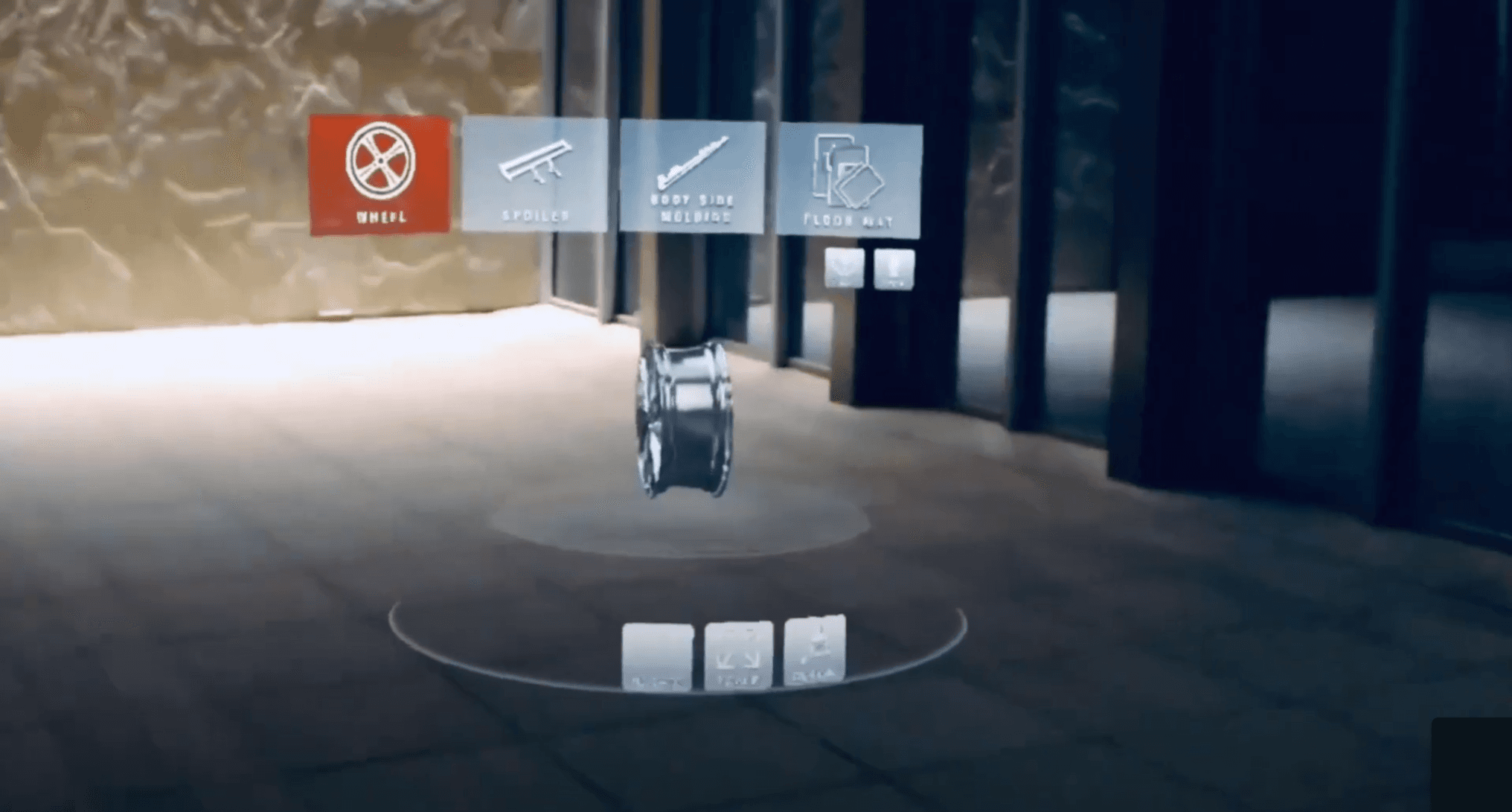
The customization feature allows users to select and modify various car accessories, such as spoilers and floor mats, and visualize them on a life-size holographic car. This enhances the decision-making process by providing a real-time, interactive preview of the selected accessories.
Visuals:
Include high-quality screenshots or images of the customization process, highlighting the different options available and how they appear on the holographic car.
Example:
Gesture and Speech Integration:
Description:
The application integrates gesture and speech commands to provide a seamless and intuitive user experience. Users can easily interact with the application by using hand gestures or voice commands, making the customization process more natural and engaging.
Visuals:
Show images or clips of users interacting with the app using gestures and speech, demonstrating the ease of use and responsiveness of the system.
Example:
Spatial Understanding:
Description:
The app leverages spatial understanding capabilities to scan the user’s room and tailor the experience accordingly. This ensures that the holographic car and accessories are accurately positioned and scaled within the user’s environment, creating a more immersive and realistic experience.
Visuals:
Provide examples of spatial understanding in action, showing how the app adapts to different room layouts and environments.
Example:
5. Responsibilities
Interaction Design:
As the interaction designer, I was responsible for designing the user interactions, ensuring that the application was intuitive and easy to use. This involved creating gesture and speech command mappings, designing the user interface, and conducting usability testing to refine the interactions.
Spatial Understanding:
I also implemented the spatial understanding features, which involved developing algorithms to scan and map the user’s environment and integrating these capabilities into the application. This ensured that the holographic car and accessories were accurately positioned within the user’s space.
6. Project Highlights
Customization:
The application allows users to customize various car accessories and visualize them on a life-size holographic car, enhancing the decision-making process with real-time, interactive previews.
Gesture and Speech Integration:
By integrating gesture and speech commands, the application provides a seamless and intuitive user experience, allowing users to interact naturally with the holographic car and accessories.
Spatial Understanding:
The app’s spatial understanding capabilities ensure that the holographic car and accessories are accurately positioned and scaled within the user’s environment, creating a personalized and immersive experience.
7. Conclusion
Results:
The Car Accessory Design application successfully created an innovative and user-friendly XR experience that enhanced the decision-making process for car enthusiasts and potential buyers.
Learnings:
Through this project, I gained valuable insights into integrating advanced XR technologies and user-centric design principles, which will inform my future projects.
Future Enhancements:
Potential future enhancements include expanding the range of customizable accessories, improving the accuracy of spatial understanding, and incorporating additional interaction methods to further enhance the user experience.


